01
Rent
Tap through the station screen or scan its code, then pay with a supported payment method. A charged power bank pops right out.
A JOLVY station holds fully charged portable power banks. Take one, keep your phone alive wherever the night goes, and bring it back when you're done.
Tap through the station screen or scan its code, then pay with a supported payment method. A charged power bank pops right out.
Plug in with the built-in cable and keep going — dance, dine, mingle. Your phone charges in your pocket, not on a wall.
Done? Slide it back into an eligible JOLVY station. The station confirms your return and the rental ends.
Rentals are billed by the hour, and your charge for the day stops at $20.
Simple pricing
Rental time is capped at $20 per day, no matter how long you keep it. Proposed launch pricing — the final rate is always shown on the station screen before you rent.
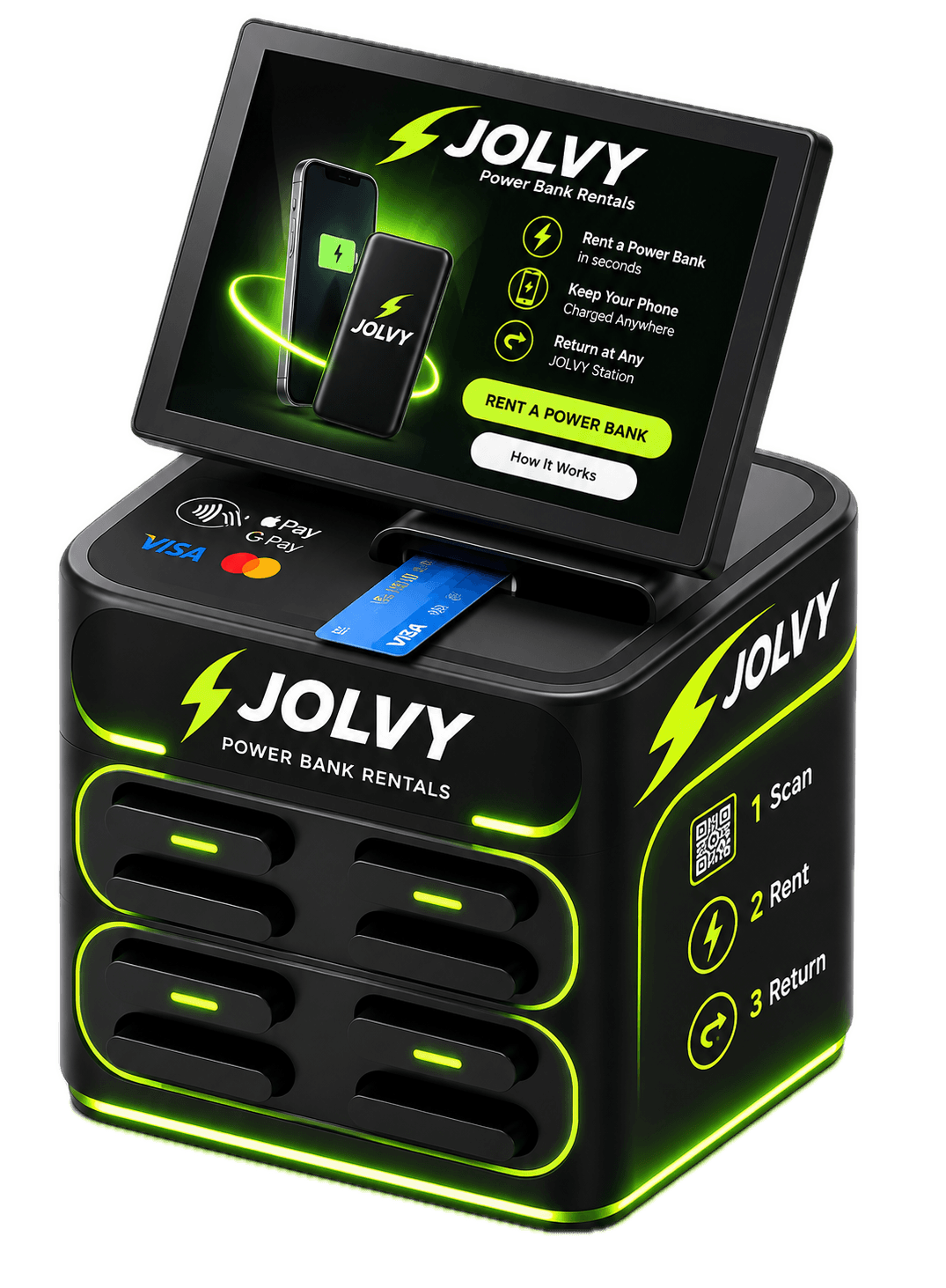
Slide the power bank into an open slot at an eligible JOLVY station until it clicks into place. The station confirms the return and your rental ends.
Where can I return it? The station screen and your rental receipt will show where returns are accepted. As more stations come online, we'll keep the station map updated.
Walk up to a JOLVY station, follow the on-screen steps, and pay with one of the supported payment methods shown on the station. Once payment is approved, a fully charged power bank is released for you to take.
JOLVY power banks are designed with built-in charging cables for today's most common phones. We'll list the exact connector types on each station page as stations go live.
Our goal is to let you rent right at the station. If a station requires a QR code or web link to start a rental, the station screen will show you exactly what to do.
Return it to an eligible JOLVY station. The station and your rental receipt will show where returns are accepted. As our network grows, we'll keep this page updated with return options.
Slide the power bank into an open slot until it clicks. The station confirms the return on screen, and your rental time stops. If you don't see a confirmation, contact support with the station location and time.
Contact JOLVY support with the station location. We'll help you find another eligible return option and make sure you aren't charged for time you couldn't return.
Accepted payment methods are displayed on each station before you rent. Payments are processed by our station partner's secure payment system — JOLVY's website never stores your card details.
Some payment systems place a temporary authorization when a rental starts, which is adjusted when you return the power bank. If something still looks wrong, contact support with the date, time and station location and we'll review it.
Still need help? Contact support
We're launching in Jacksonville and Queens. See where stations are headed.